Our Features
Everything you need to manage FAQs, delight users, and reduce support overhead.
Key Features
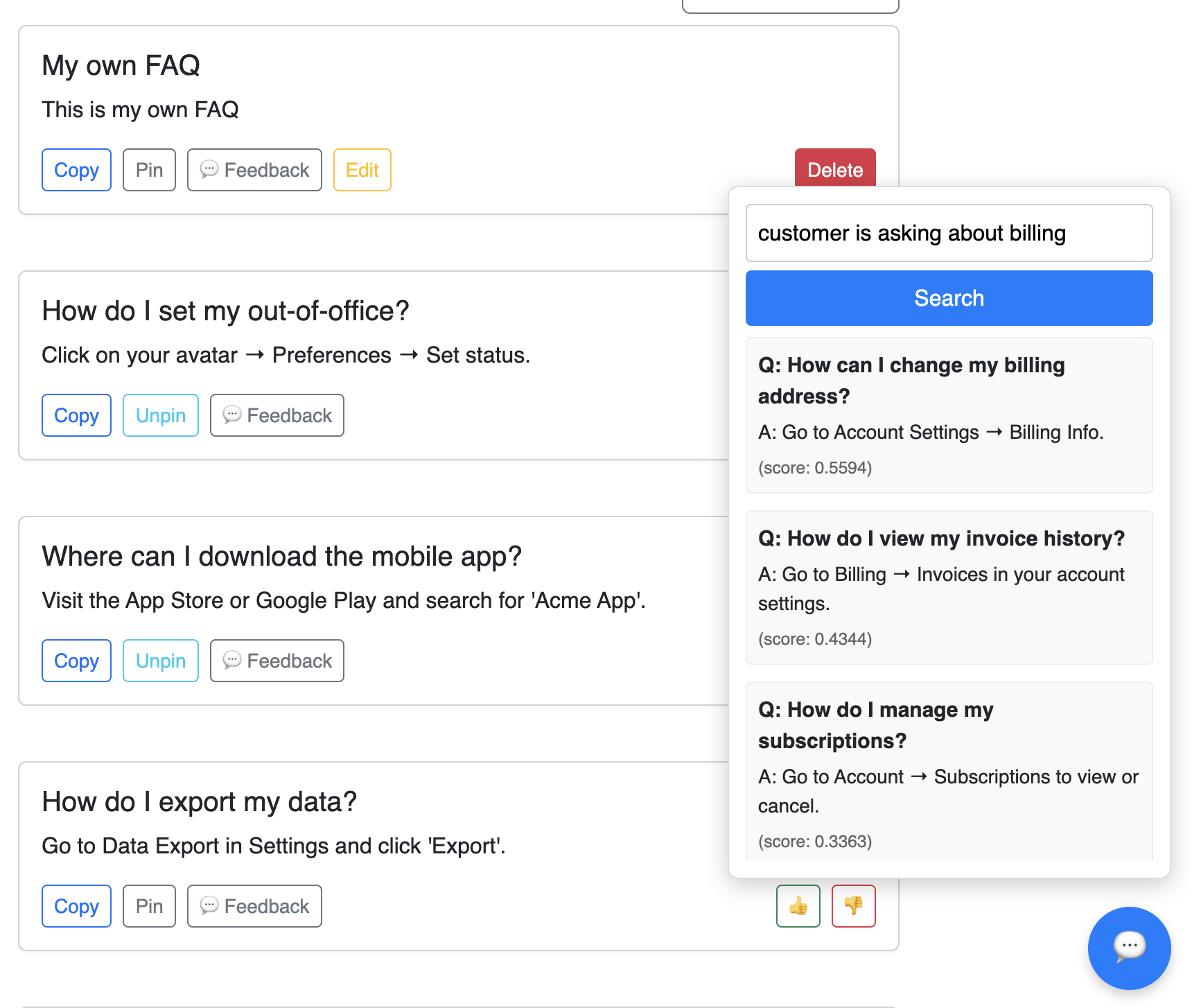
AI-Powered FAQ Search
Our AI widget understands natural-language queries and scans your company’s FAQ database to surface the most relevant answers—no need to memorize exact keywords.
- Describe a customer issue and find matching FAQs instantly.
- Supports multilingual content—AI handles locale detection.
- Ideal for new hires or complex inquiries.
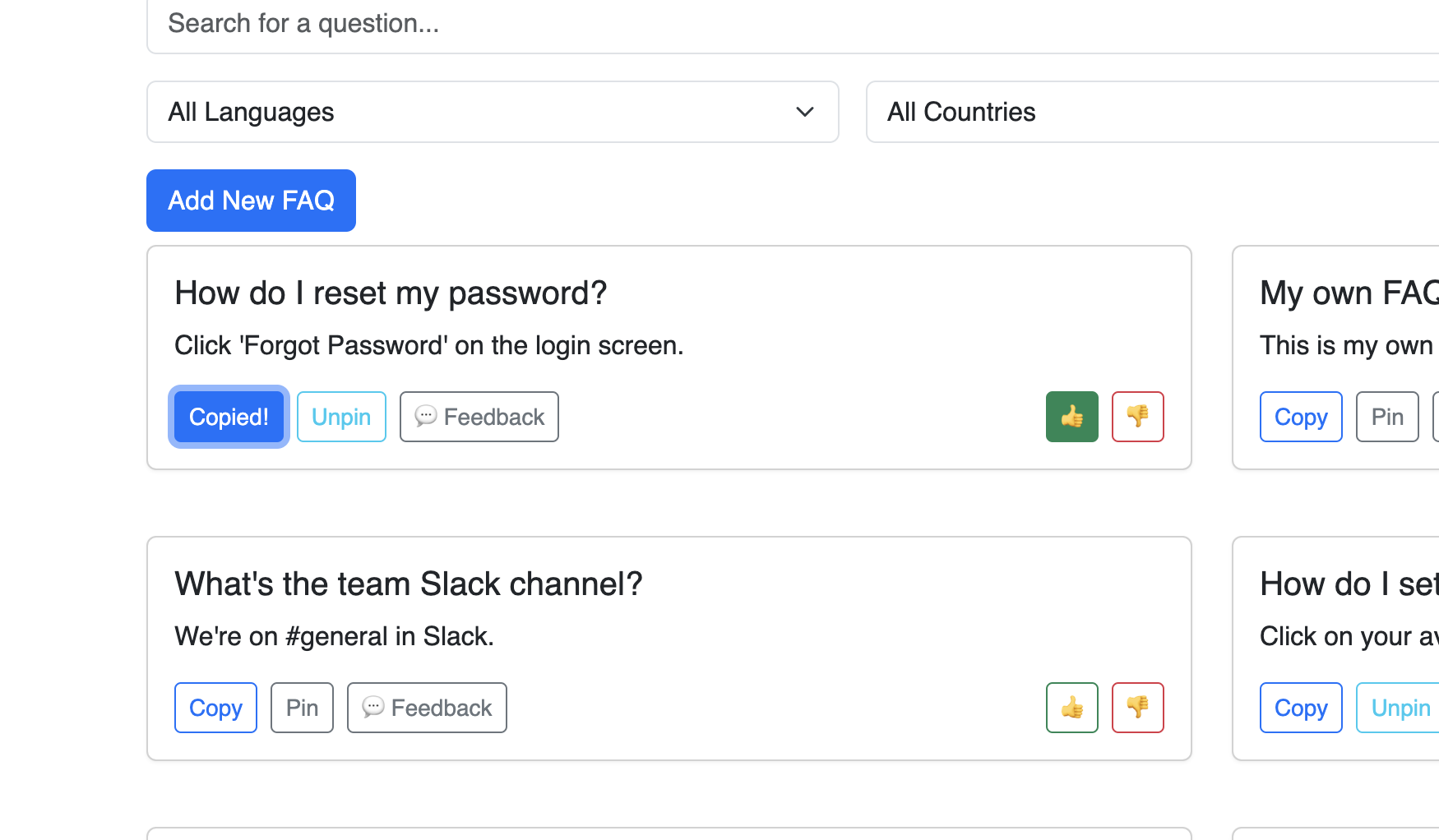
Pin FAQs & Copy Answers
Save frequently used FAQs to a personal “Pinned” section for one-click access. Copy answers directly to clipboard to speed up customer responses.
- Pin or unpin any FAQ with a single click.
- Copy full answer text to clipboard instantly.
- Stay organized with a dedicated pinned area.
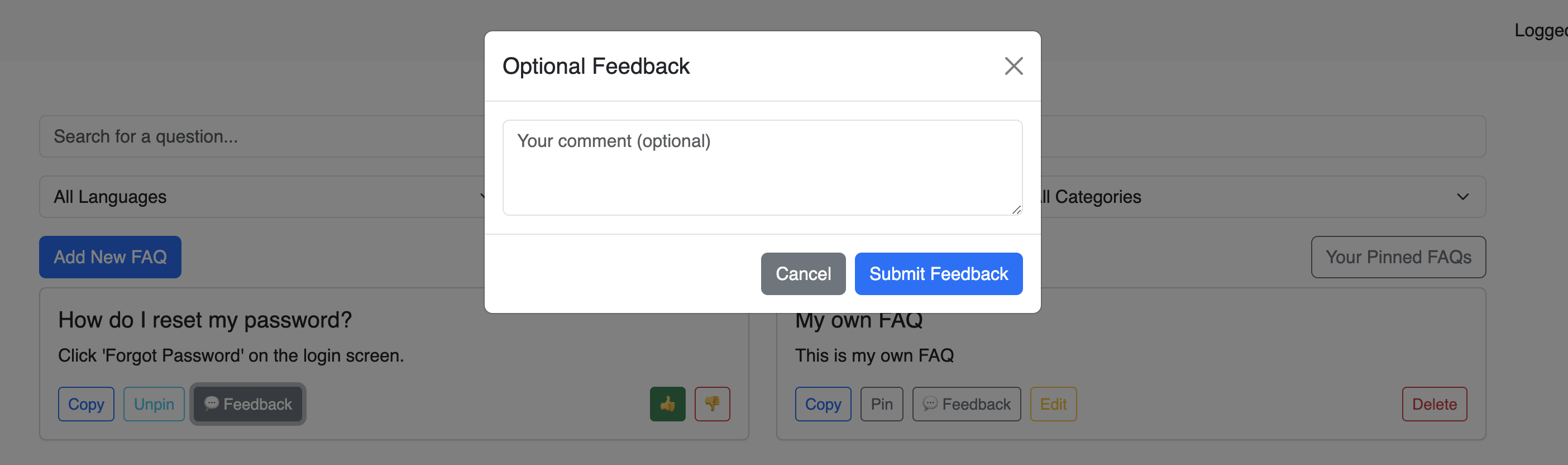
Feedback & Ratings
Collect votes and comments from users to understand which FAQs are truly helpful.
- Users can rate each FAQ as “Helpful” or “Not Helpful.”
- Submit free-text feedback for qualitative insights.
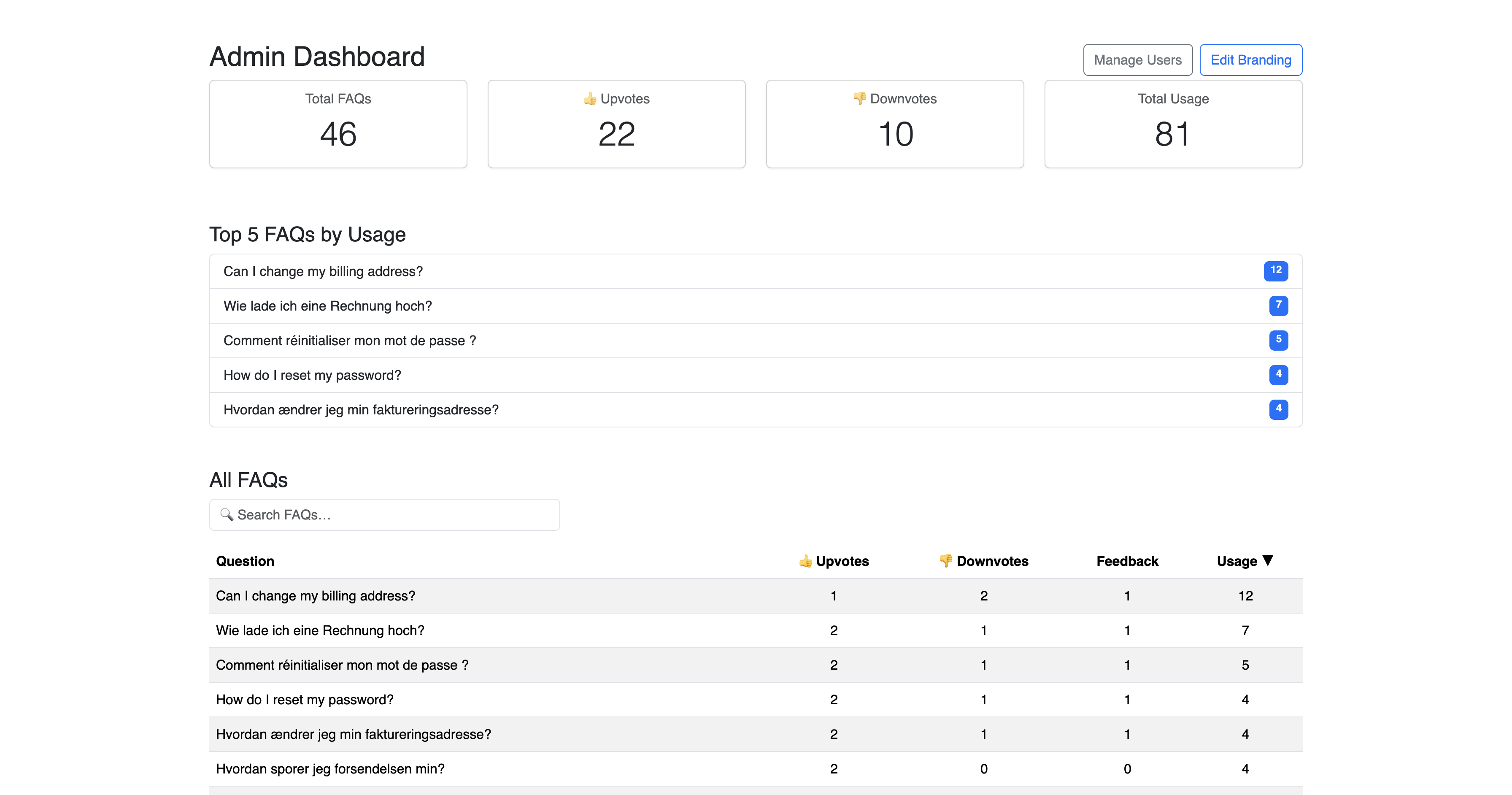
Admin Analytics Dashboard
Monitor usage metrics—impressions, clicks, feedback counts, and trending FAQs—right from your Admin Dashboard.
- View total FAQ copy counts and rating tallies.
- See your top 5 most-used FAQs.
- Drill into individual feedback, mark as resolved, and refine.
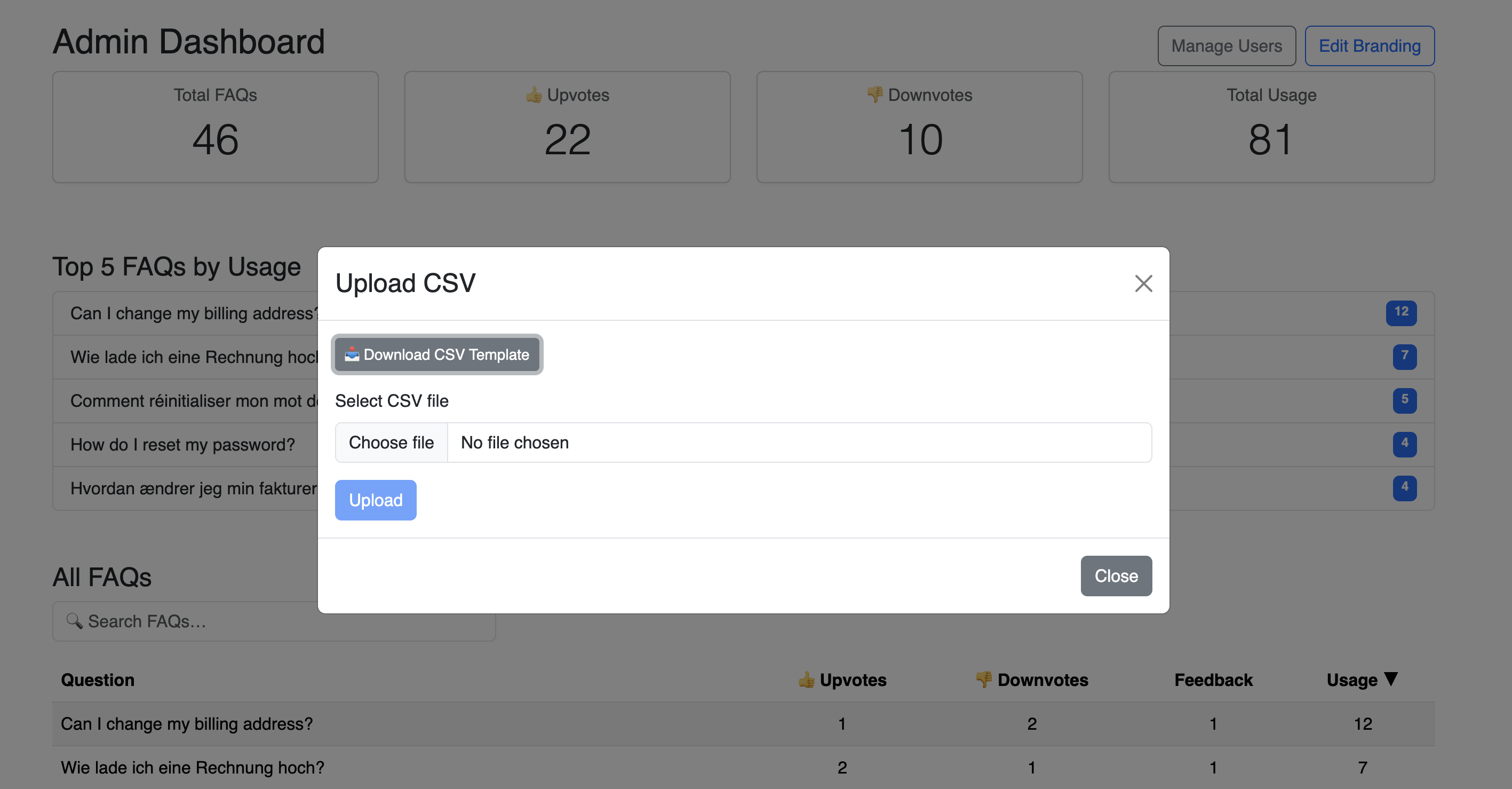
CSV Upload for Global FAQs
Bulk-load or update your entire FAQ library by uploading a pre-formatted CSV or XLSX file.
- Download a template with required columns: question, answer, country, language, category.
- Write in your FAQs and upload in one step.
- Changes appear instantly—just refresh the page.
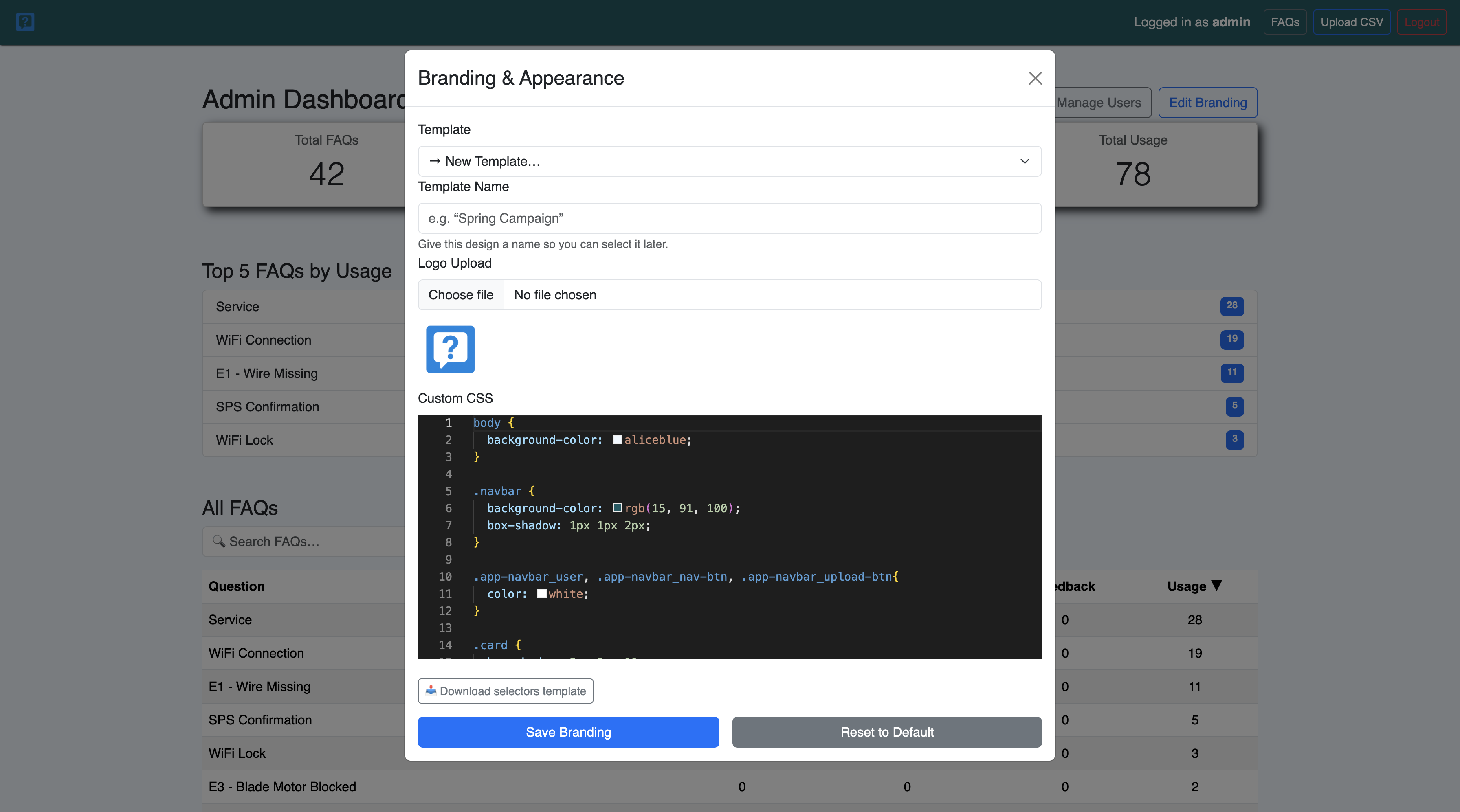
Whitelabel & Custom CSS
Tailor the look and feel of the FAQ interface to match your brand by uploading your logo and writing custom CSS in our live editor.
- Upload company logo to appear in header.
- Customize colors and fonts with live CSS editor.
- Save multiple branding templates for easy reuse.
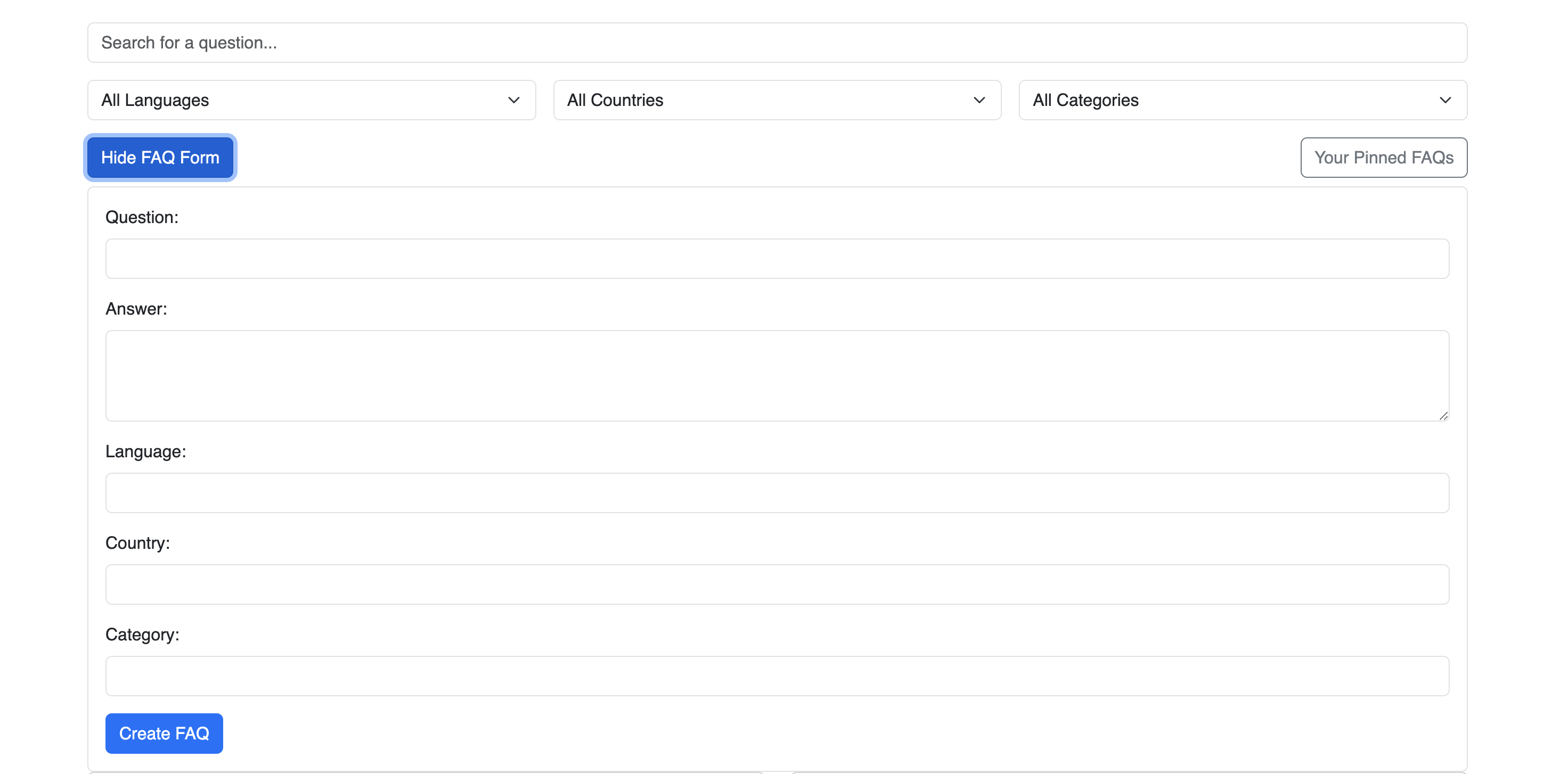
Custom FAQs & Real-time Updates
Create, edit, and delete private FAQs on the fly—changes appear instantly without redeploy.
- Click “+ New FAQ” to add a custom question/answer pair.
- Edit or delete entries anytime—updates reflect immediately.
- Scoped to your Company ID for security.